
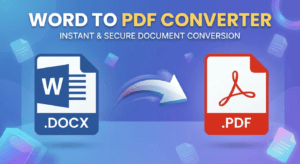
Word to PDF Converter – Free Online Tool to Convert DOC & DOCX
Word to PDF Converter
Turn any DOC or DOCX file into a clean, ready-to-share PDF in seconds. Upload your document, and the tool handles the rest — right in your browser.
Your PDF is ready
The document converted successfully. Download it below, or convert another file.
How to Use the Word to PDF Converter
Converting a Word document into PDF format takes less than a minute. Follow the steps below, and you will have a shareable PDF ready to send, print, or upload anywhere.
- Upload your Word file.Click the upload box, or simply drag your .doc or .docx file into it. The tool accepts files up to 25MB.
- Start the conversion.Press the “Convert to PDF” button. The tool reads your document’s text, formatting, and structure automatically.
- Watch the progress bar.A live percentage shows exactly how far the conversion has come, so you always know what is happening.
- Download your PDF.Once the bar reaches 100%, your new PDF file becomes available instantly for download.
- Share or print.Your PDF is now ready to email, upload to a job portal, print, or store — with formatting locked in place.
Why Use This Tool
Word documents can look different depending on the device, font availability, or software version used to open them. As a result, formatting sometimes shifts unexpectedly. Converting to PDF solves that problem permanently, and this tool makes the process effortless.
- Keeps your fonts, images, and layout locked exactly as designed
- Works on Windows, Mac, Android, and iOS without extra software
- No account, email, or watermark required to download your file
- Produces smaller, easier-to-share files than most Word documents
- PDFs open the same way on every screen, browser, and printer
- Ideal for resumes, invoices, contracts, and academic submissions
Features
This converter was built around three priorities: speed, accuracy, and privacy. Consequently, every part of the process — from upload to download — happens with those goals in mind.
Fast Processing
Most documents convert in under 20 seconds, regardless of file size, so you are never left waiting around.
Formatting Preserved
Headings, bullet points, tables, and images stay exactly where you placed them in the original file.
Private by Design
Your document is processed locally in your browser session, so your content is never stored on a server.
Works Anywhere
No installation is needed. Open the page on any device with a browser and start converting immediately.
Frequently Asked Questions
Yes. Converting a Word document to PDF with this tool costs nothing, and there is no limit on how many files you can convert.
No sign-up or email address is required. Simply upload your file, convert it, and download the result right away.
The tool accepts both .doc and .docx files, which cover older and newer versions of Microsoft Word.
In most cases, yes. The converter preserves headings, paragraphs, lists, tables, and embedded images from your original document.
Your file is processed within your own browser session. Therefore, its content is not uploaded to, or stored on, an external server.
Absolutely. The page is fully mobile-friendly and works the same way on phones, tablets, and desktop computers.
More Tools in This Category
PDF to Word: Easily Convert Files with Powerful Free Tool
PDF to Word Free Online Converter PDF to Word Free Online Converter…
Merge PDF Files Instantly ,The Free Effortless Way to Merge
PDF Merge Tool – Merge PDF Files Free Online Free & runs…
Compress PDF Online Free — Reduce PDF File Size
Compress PDF Online Free — Reduce PDF File Size Without Losing Quality…
PDF to Text Converter free – no signup
PDF to Text Converter — Free Online Tool | UFKCinema UFKCinema Tools…