
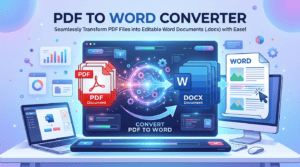
PDF to Word: Easily Convert Files with Powerful Free Tool
PDF to Word Free Online Converter
Convert your PDF documents into editable Microsoft Word (.docx) files fast, securely, and 100% free right in your browser.
How to Convert PDF to Word (.docx) Online
Easily transform your PDF files into fully editable Microsoft Word documents with these steps:
Why Use Our PDF to Word (.docx) Converter?
Native OpenXML (.docx) Output: Unlike older tools that produce legacy `.doc` files, our converter compiles a true modern `.docx` file using native XML structures that open seamlessly in MS Word 2007+, Google Docs, and Mobile Editors.
100% Privacy Guaranteed: File conversion is executed client-side in your browser. Your confidential PDFs never touch external servers or cloud databases.
Cross-Platform Compatibility: Access and use this web utility across Android, iOS, Windows, macOS, and Linux without installing external plugins.
Frequently Asked Questions (FAQs)
More Tools in This Category
Word to PDF Converter – Free Online Tool to Convert DOC & DOCX
Word to PDF Converter Online Free – Convert DOC/DOCX to PDF Instantly…
Merge PDF Files Instantly ,The Free Effortless Way to Merge
PDF Merge Tool – Merge PDF Files Free Online Free & runs…
Compress PDF Online Free — Reduce PDF File Size
Compress PDF Online Free — Reduce PDF File Size Without Losing Quality…
PDF to Text Converter free – no signup
PDF to Text Converter — Free Online Tool | UFKCinema UFKCinema Tools…